One dashboard. Every agreement covered.

From multi-party document signing to travel booking agreements — see exactly how TermsCon works. Now with full multi-tenant multi-party signing: multiple stakeholders, one verified, tamper-proof record.

Everything in one place. Nothing falls through.

TermsCon gives you a single, clear view of every document, every signing status, and every client interaction — so you're always in control.

Your Agreement Control Centre

The TermsCon dashboard is built around how people actually work. Whether you're managing a handful of client contracts or running a high-volume booking operation, it adapts to your workflow — not the other way around.
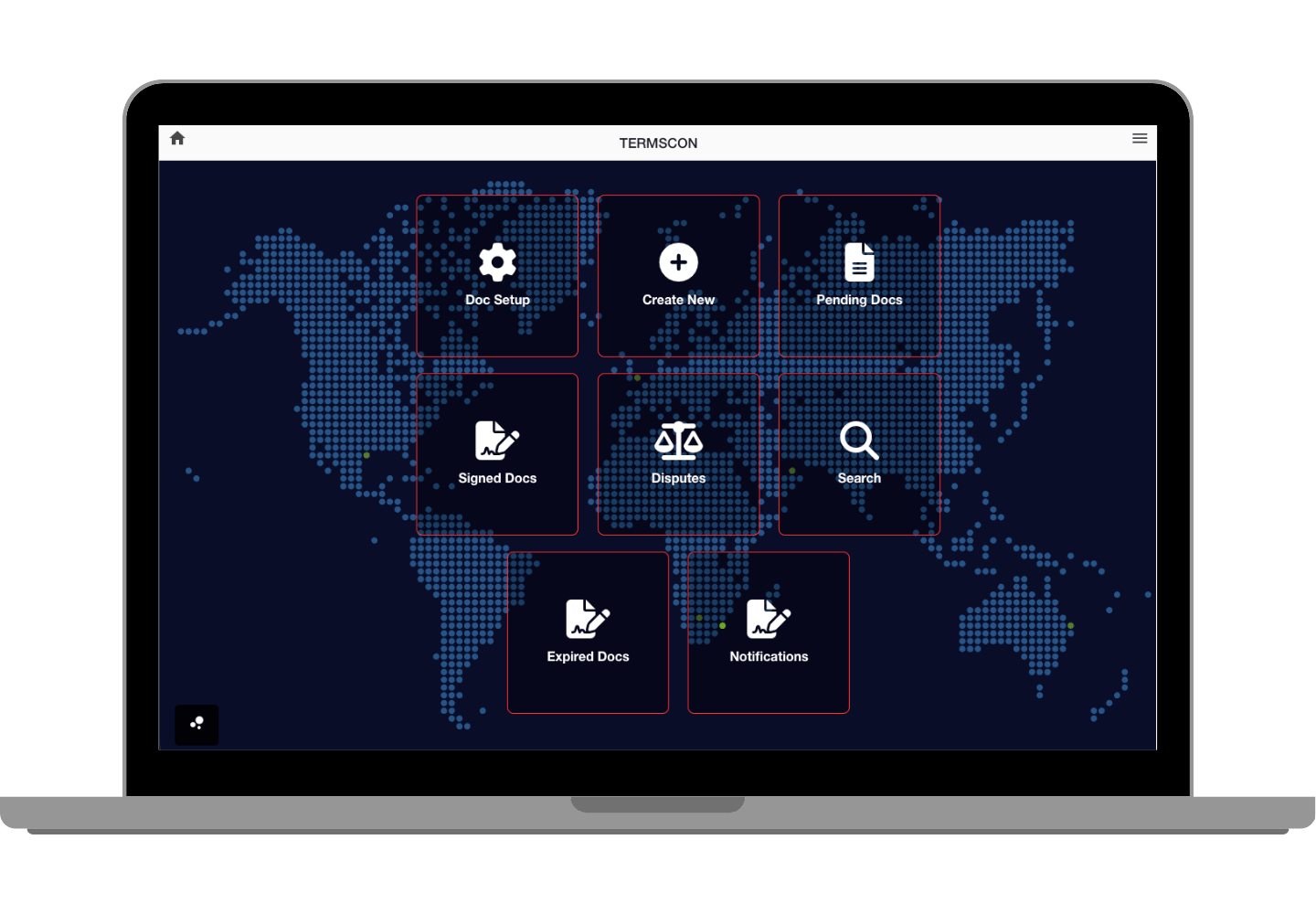
  • Document Management: Create, edit, and organise all your agreements and contracts in one place — with full version history.
  • Live Signature Tracking: See exactly which documents are pending, signed, or expired in real time.
  • Client Records: Full history of every interaction, signed document, and dispute — all linked to the client.
  • Template Library: Save your most-used agreements as templates and reuse them in seconds.
Explore the Dashboard
TermsCon Dashboard Overview

Multi-Party Signing. One Verified Record.

TermsCon now supports full multi-tenant multi-party signing — multiple parties, one agreement, all signatures verified and tamper-proof.

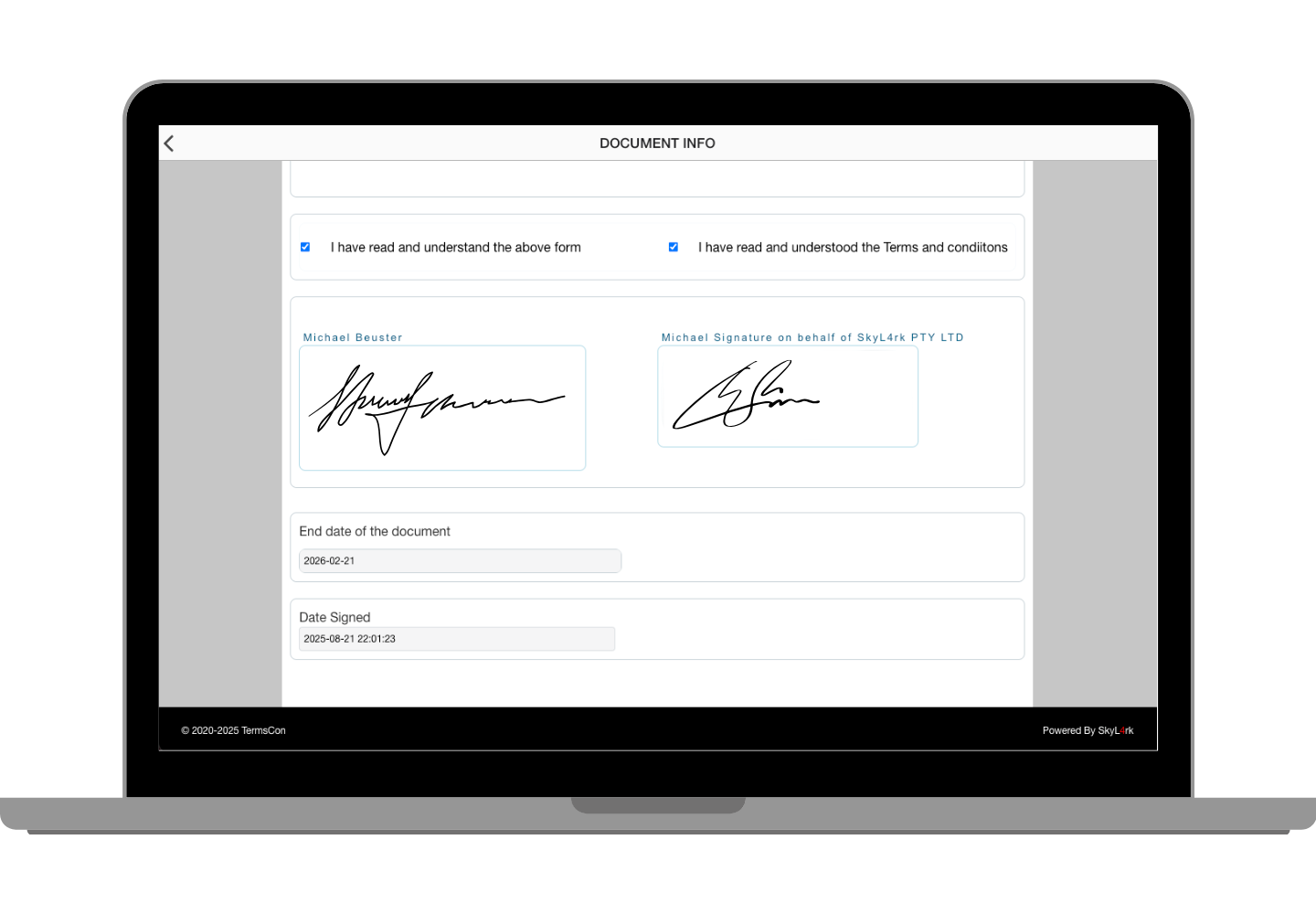
Digital Signature Interface

Signing built for real-world complexity

Whether it's a simple one-to-one agreement or a multi-stakeholder mutual contract, TermsCon handles it. Each party signs independently, and every signature is cross-verified across multiple private servers — creating a single, immutable record no single party can alter.

  • Multi-Party Signing: Coordinate agreements across multiple signatories with separate, verified signing steps.
  • Multi-Tenant Support: Different organisations or teams can participate in the same agreement — each operating within their own account context.
  • Device Compatible: Any party can sign from desktop, tablet, or mobile — no app required.
  • Tamper-Proof Audit Trail: Every signing event is timestamped and hash-verified — a complete, provable record for all parties.
Get Started

Every document. Tracked, stored, and retrievable.

No lost agreements, no missing signatures — TermsCon maintains a complete, searchable record of every document across its full lifecycle.

Full Document Lifecycle Management

From the moment a document is created to long after it's been signed and archived, TermsCon tracks every state and event. Find what you need instantly, see who did what and when, and access any document in seconds.

  • Document Library: All your agreements and templates in one secure, organised location.
  • Advanced Search: Find any document by keyword, client name, date, or status.
  • Version History: Track changes and access previous versions of any document.
  • Encrypted Storage: Every document is AES-256 encrypted and hash-verified at rest.
Get Started
Document Management Interface

Document Drafts

Start a document, save it locally, and come back to it exactly where you left off — nothing stored on our servers until you're ready to send.

Never Lose Your Progress

Drafts are saved to your local device — not to our servers — giving you complete privacy until you choose to send. Prepare multiple documents across different clients, resume at any point, and send when you're ready.
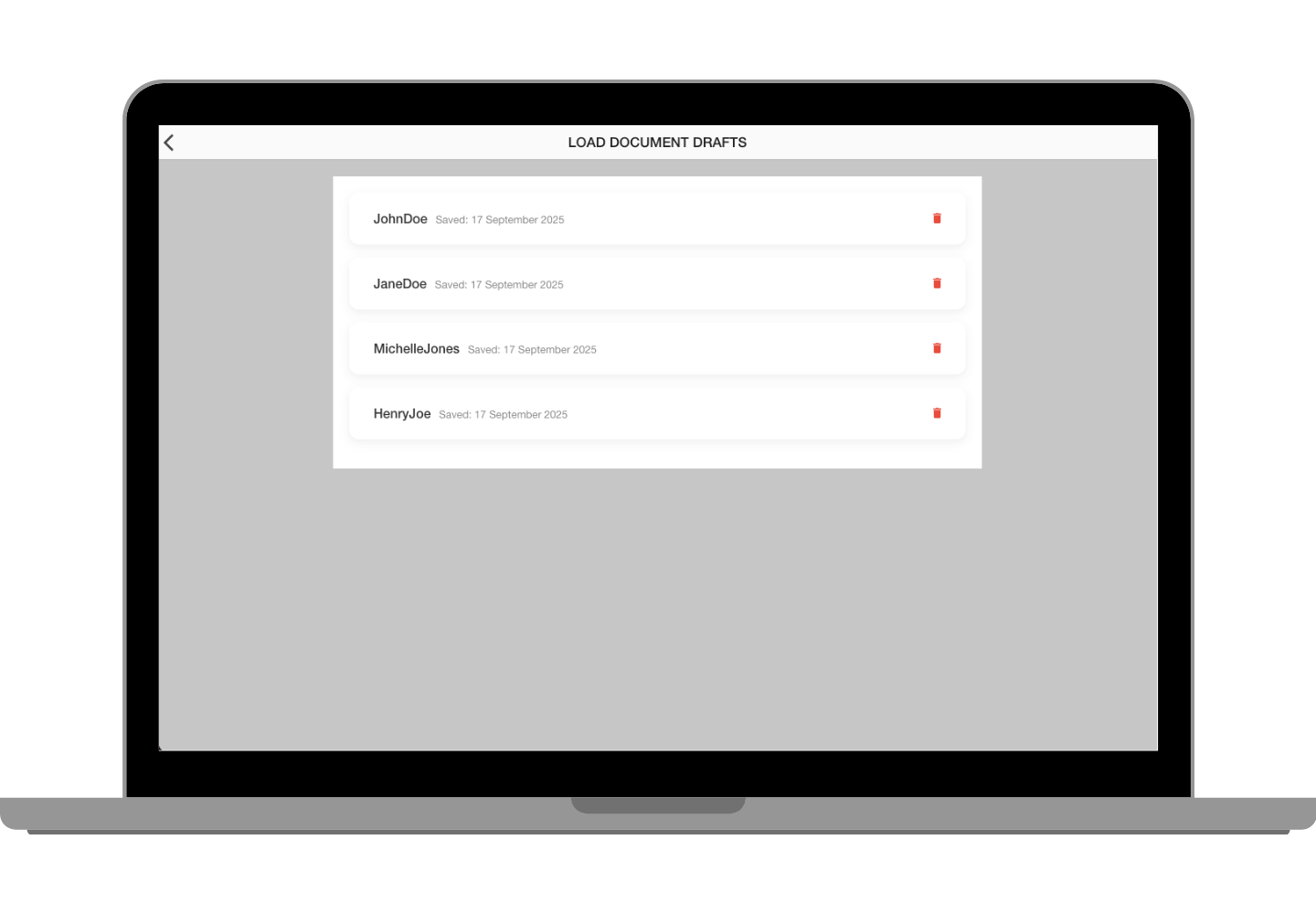
  • Local Storage: Drafts are saved on your device only — no cloud exposure until you send.
  • Resume Anytime: All document details, templates, and settings are preserved exactly as you left them.
  • Quick Access: Retrieve and continue any draft from the dashboard with one click.
  • Multiple Drafts: Prepare documents for different clients or scenarios simultaneously without conflict.
Get Started
Document Drafts Interface

TermsCon Documents

Create, customise, and send legally binding agreements — with multi-party signing, passphrase protection, white-labelling, and tamper-proof verification built in.

Build Your Agreement in Minutes

Start from a template, upload your own terms, or build from scratch — TermsCon guides you through every field so nothing is missed before sending.

Smart Document Setup

The document builder is designed to get you from blank to ready-to-send as quickly as possible. Choose a template, fill in your client's details, add your branding, and preview exactly what they'll see — before a single token is spent.
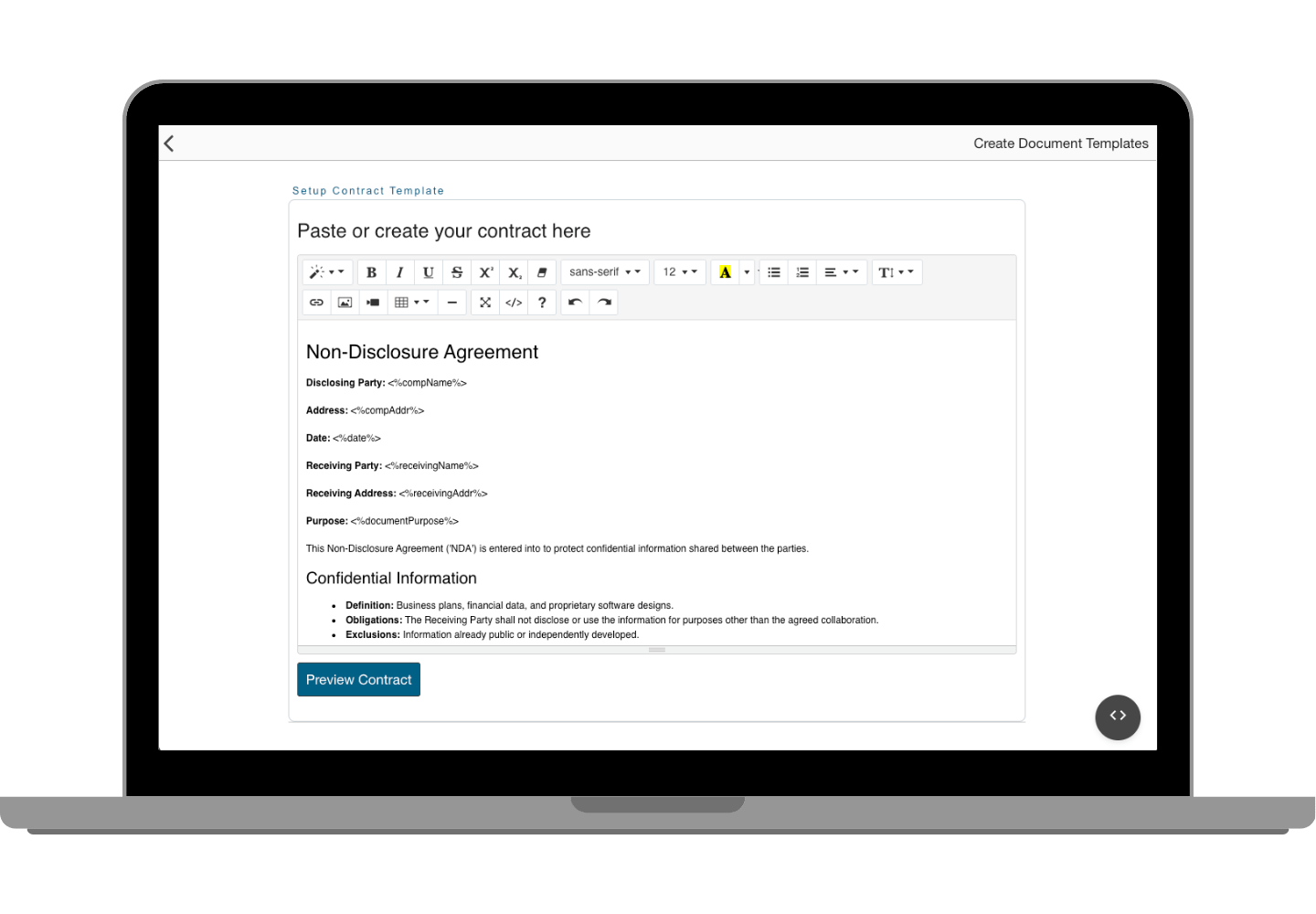
  • Template Selection: Choose from industry-specific templates or use your own saved documents.
  • White-Label Branding: Add your logo and colours so the signing experience reflects your brand, not ours.
  • Smart Fields: Auto-populate client information — remaining shortcodes are completed by the recipient at signing.
  • Preview Mode: See exactly how the document will appear to clients before committing to send.

Document Sending — From Setup to Signed

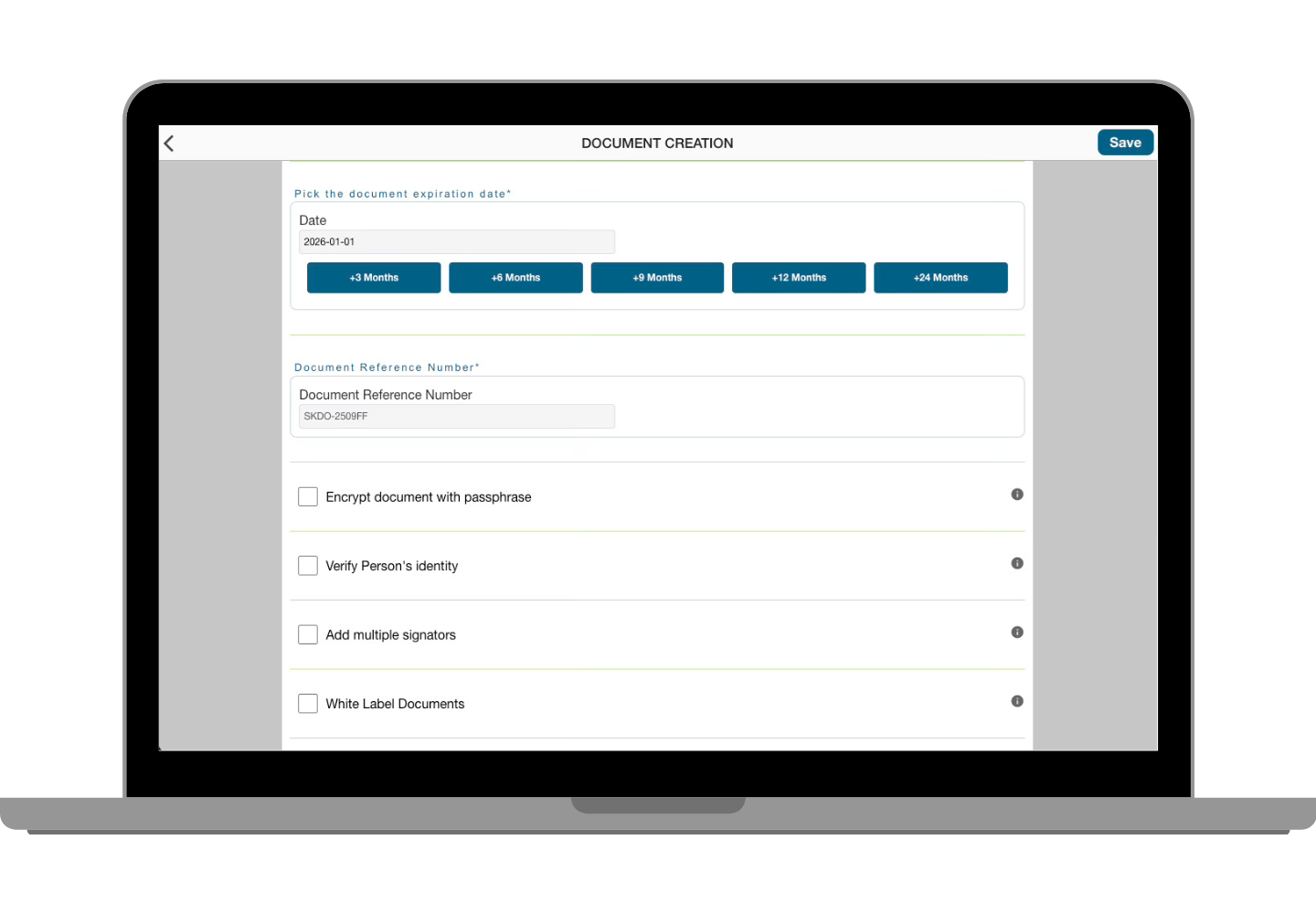
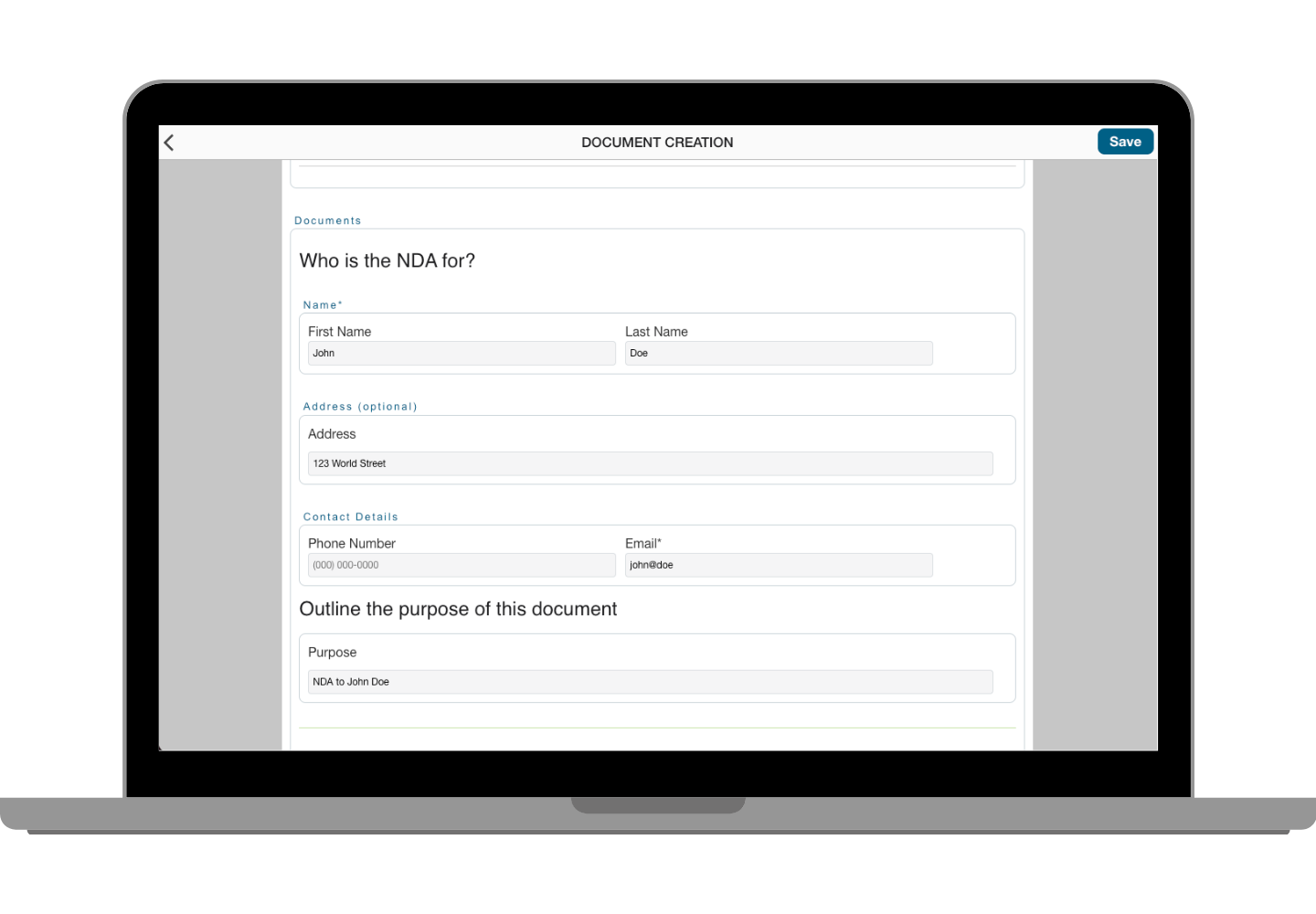
Every option you need before the document leaves your dashboard — expiry dates, passphrase protection, multi-signatory selection, white-label branding, and transparent token cost.
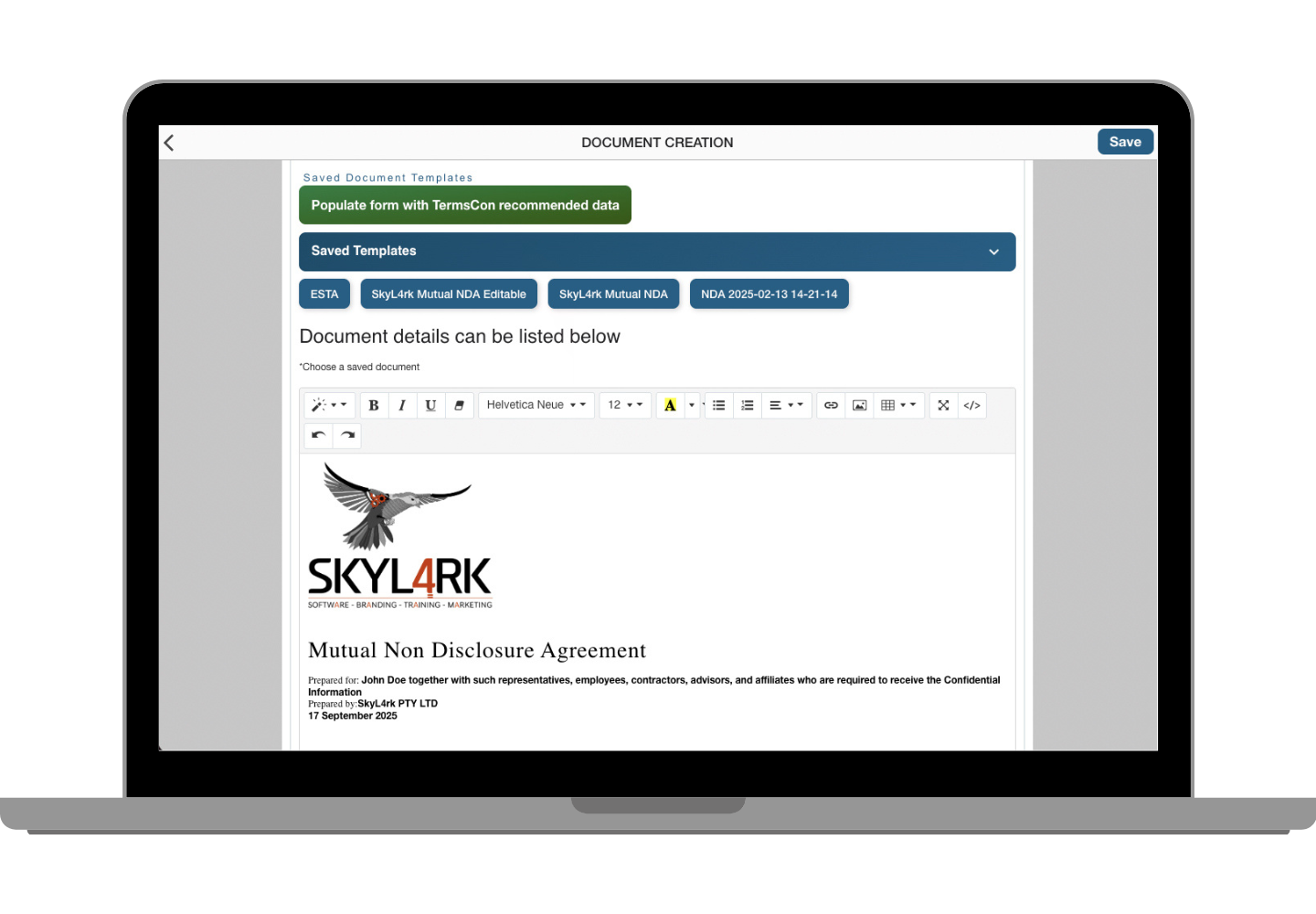
Configure, Protect & Send

Before sending, you have full control over how the document behaves. Add multiple signatories for mutual agreements, set an expiry date, require a passphrase, and choose whether to apply white-label branding — all with a real-time token cost preview so there are no surprises.

  • Template Selection: Use a saved template or pick from the library — recipient information auto-populates where possible.
  • Multi-Signatory Selection: Add multiple parties who each need to sign — supporting full mutual agreement workflows.
  • Document Additionals: Set expiry dates (extendable before they lapse), add passphrase protection, and enable white-label branding.
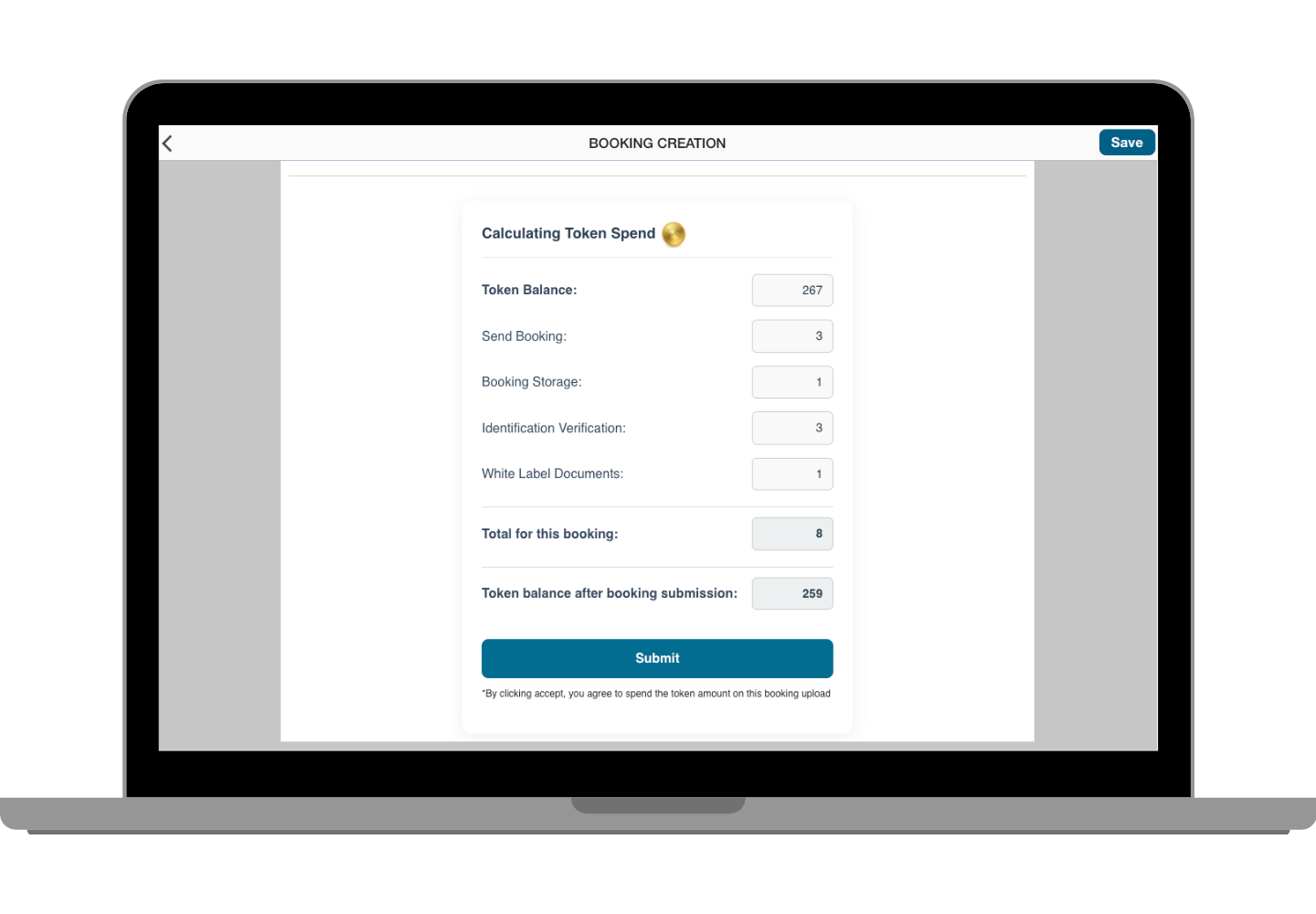
  • Token Cost Preview: See the exact token cost before sending — full transparency, no hidden charges.
Get Started

TermsCon Bookings

Purpose-built for travel agencies and service operators — booking forms, itineraries, identity verification, and signed agreements all in one flow.

Build Your Terms Once. Apply Them to Every Booking.

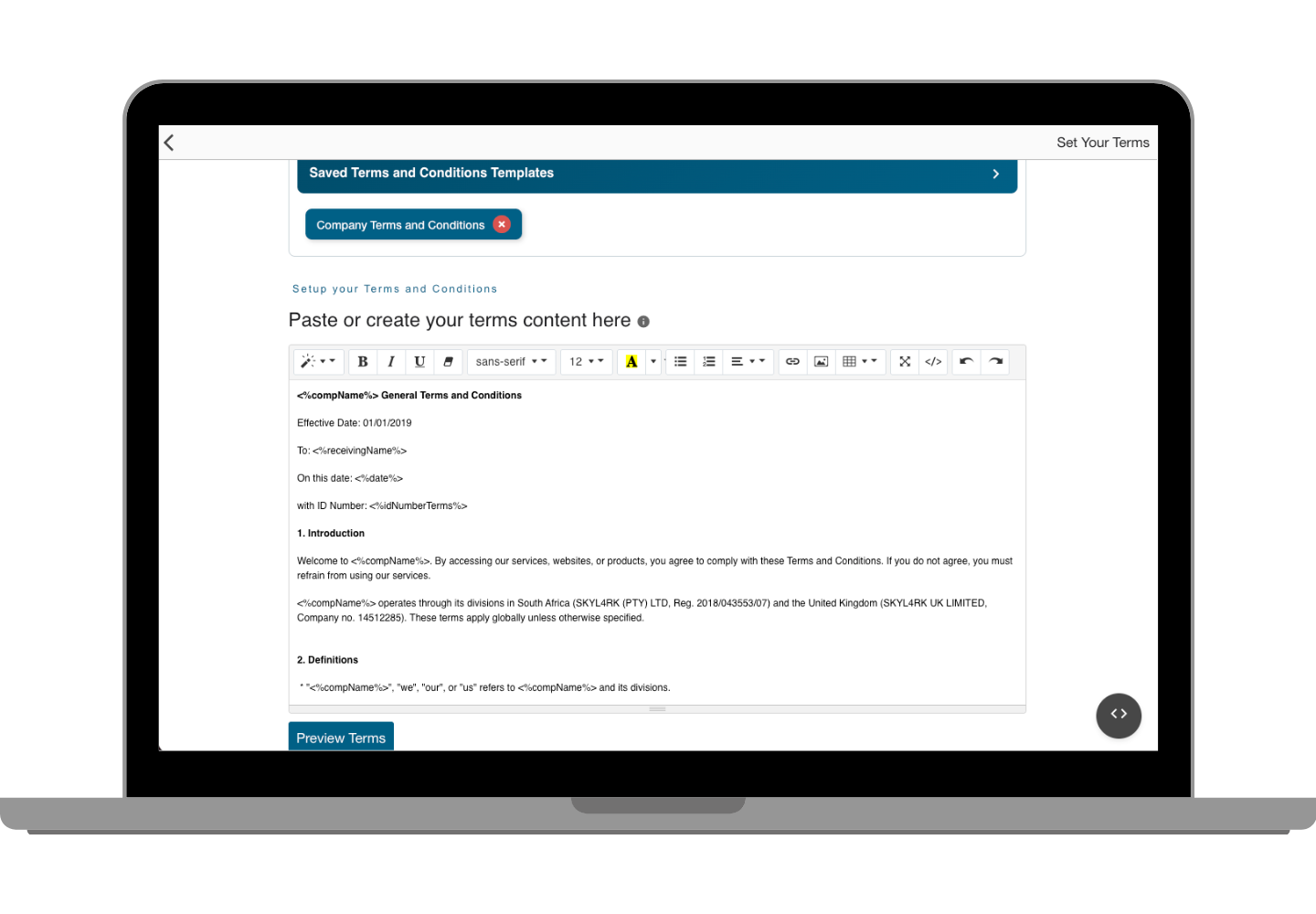
Set up your booking terms and conditions once, then attach them to every form you send — consistently branded, always legally binding.

Your Booking Terms, Locked In

Before you send a single booking, TermsCon lets you configure your terms and conditions — including custom additions specific to individual trips or clients. Clients see a clean preview before they sign, and you get a verified record the moment they do.
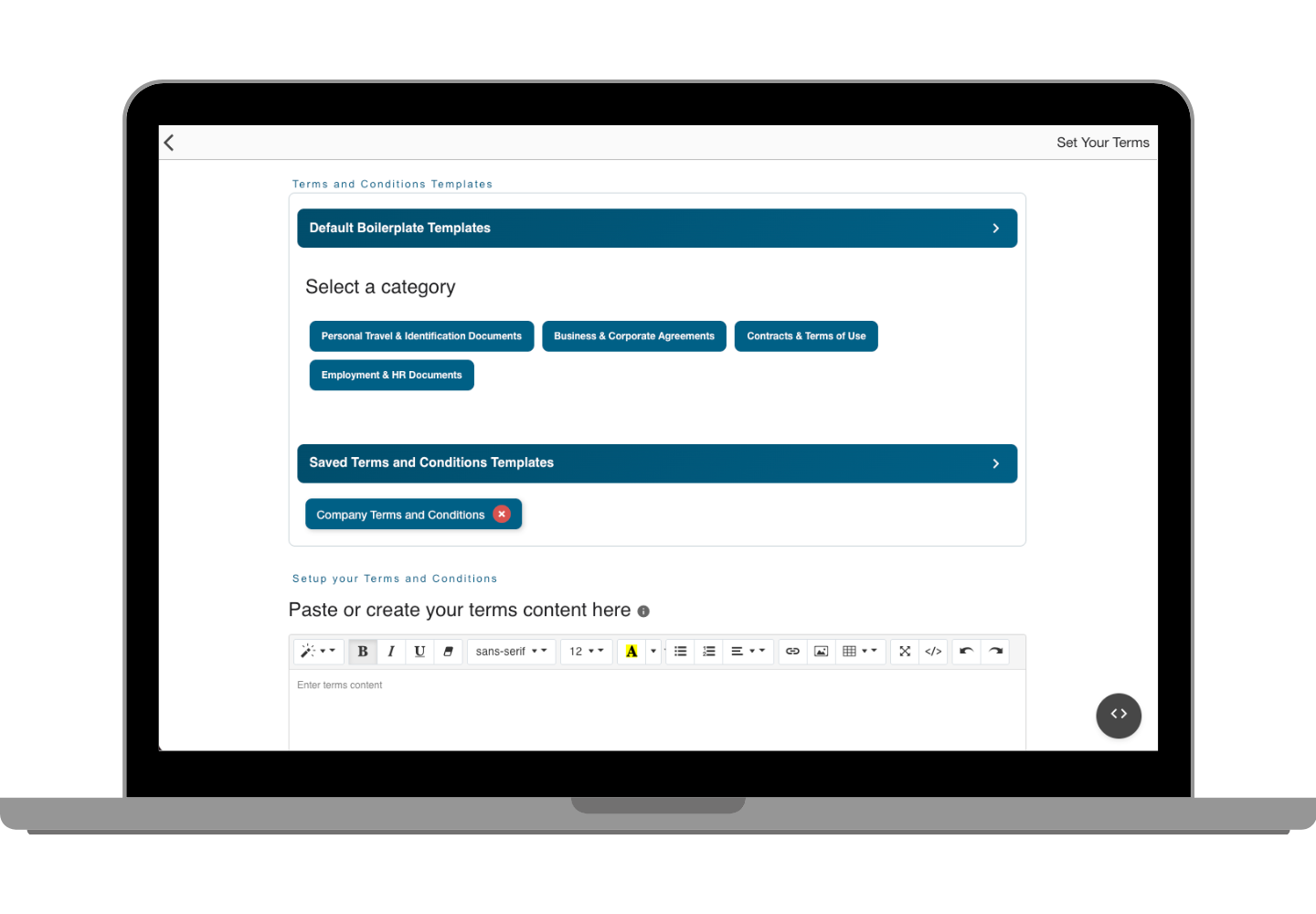
  • Terms Setup: Create and save your standard T&Cs with the option to add custom terms per booking.
  • Live Preview: See exactly what the client will read before the form is sent — no formatting surprises.
  • Dynamic Forms: Forms adapt based on the booking type and client responses.
  • Post-Sign Access: Clients can view their signed booking document until it expires.
Get Started

From Client Details to Signed Booking — In One Go

Capture everything in a single form: personal details, itinerary, T&Cs, identity verification, and expiry — then see the token cost before you send.

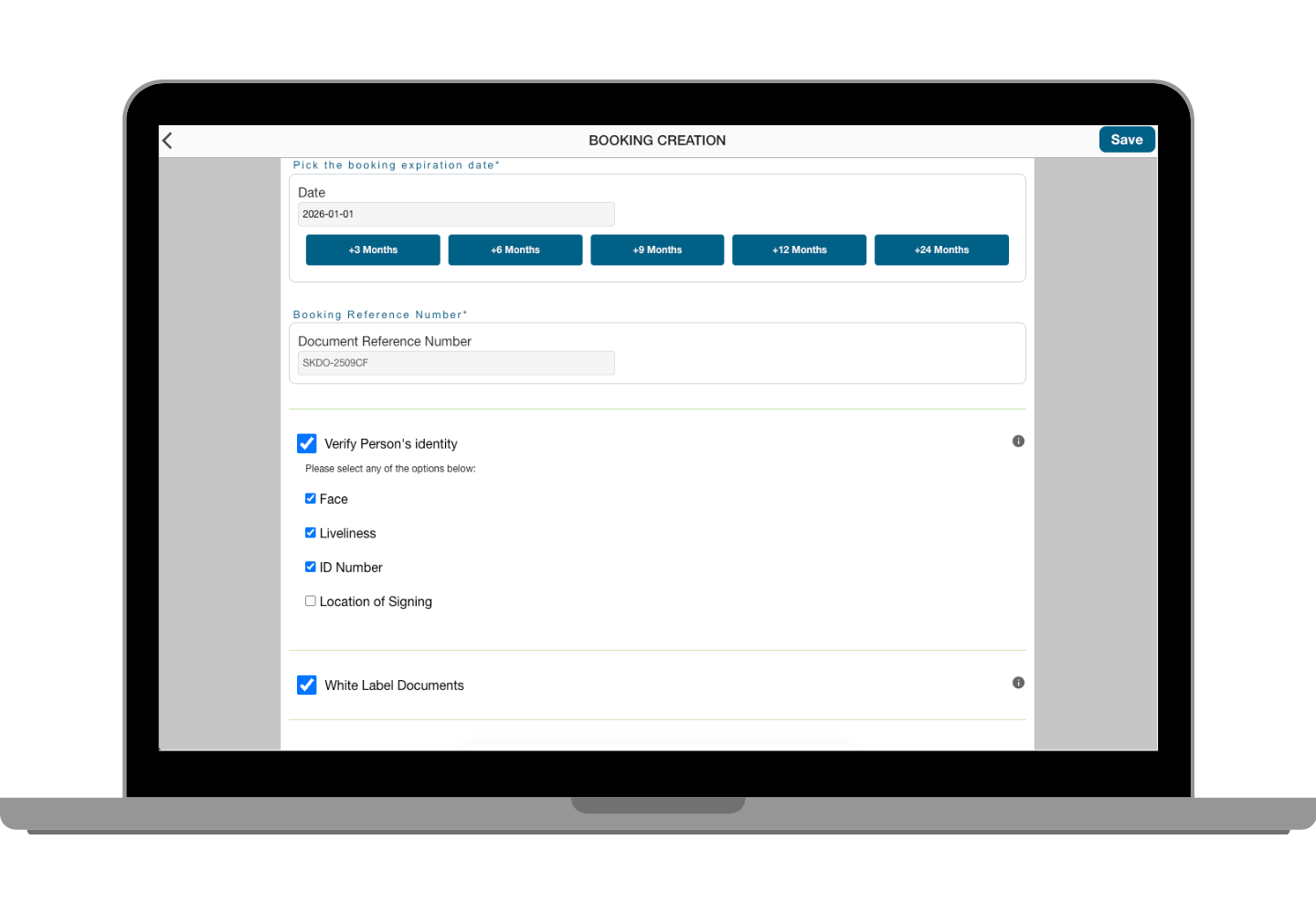
Complete Booking in One Flow

TermsCon bookings are designed for travel operators who need accuracy, professionalism, and legal protection on every client interaction. Every detail is captured, every option is configurable, and you see the cost before anything is sent.

  • Client Information: Capture name, date of birth, contact details, and passport information in structured, validated fields.
  • Itinerary & Terms: Attach your full trip itinerary alongside the signed T&Cs — everything the client needs in one document.
  • Document & Image Attachments: Upload supporting materials directly to the booking form.
  • VeriLink Identity Verification: Optionally require biometric or passport identity verification via Verilink before the booking is accepted.
  • Transparent Token Cost: Real-time cost calculation before sending — no surprises, no hidden charges.
Get Started

When Something Needs Fixing — Fix It Fast

Edit client details, manage disputes, and track resolutions — all with a full audit trail so every action is documented and accountable.

Client Management & Dispute Resolution

Mistakes happen. Disagreements happen. TermsCon gives you the tools to handle both quickly and professionally — with full documentation of every edit and every dispute step, so you're always covered if it escalates.
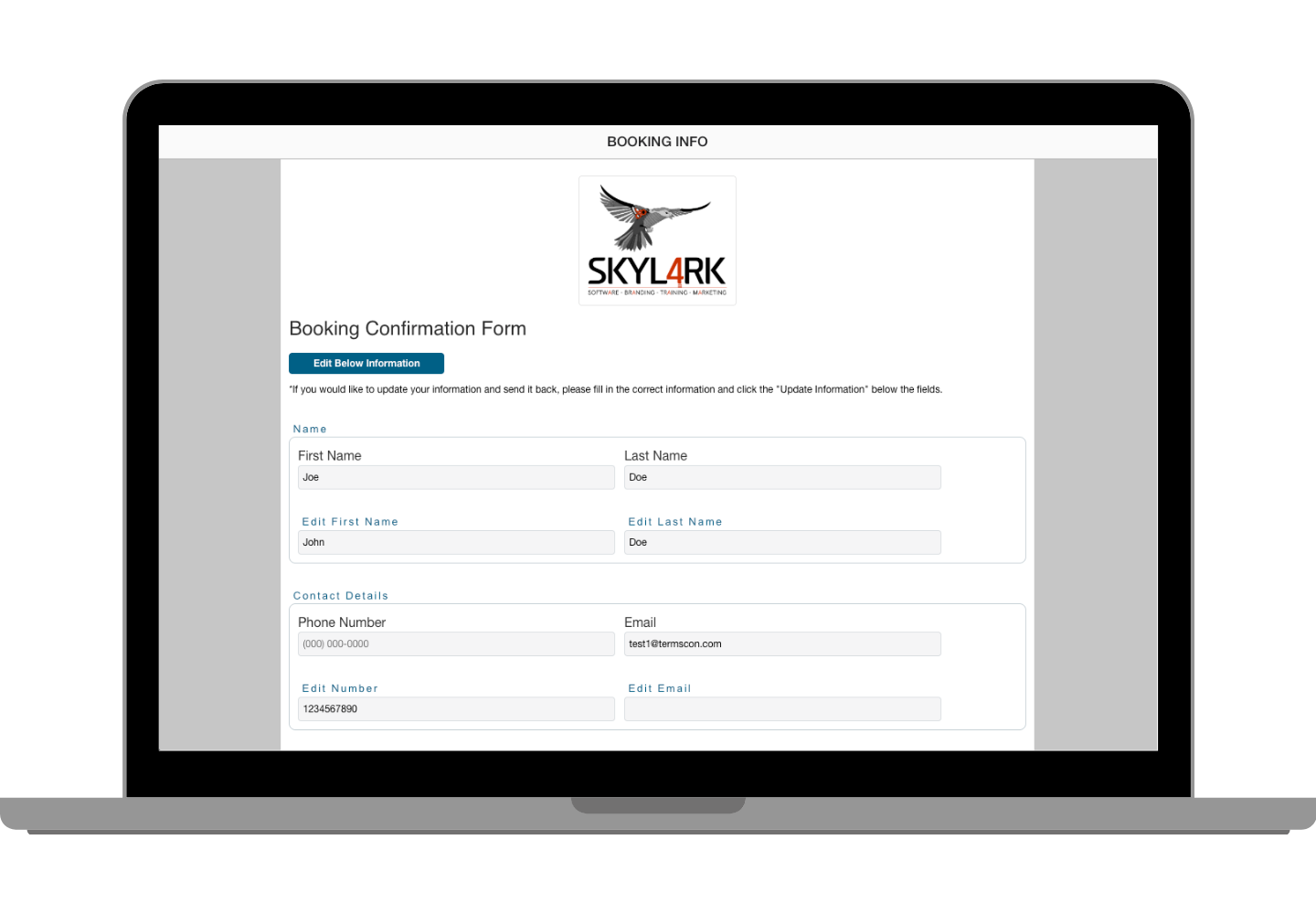
  • Client Information Management: Edit and update client details at any point, with every change logged in the audit trail.
  • Dispute Creation & Tracking: Raise a dispute case with supporting documentation and track it through to resolution.
  • Booking-Specific Disputes: Handle booking disputes with dedicated workflows built for travel operators.
  • Communication Records: Every message and correspondence related to a dispute is logged and retrievable.
  • Resolution Tracking: All parties receive automated updates as the dispute progresses — nothing gets lost in an email chain.
Client Dispute Creation Interface
Client Booking Dispute Creation Interface

Analytics, Billing & Team Management

Full visibility into how your account is performing, what it's costing, and who has access to what.

Know Exactly What's Happening

Real-time data on your documents, signing rates, token usage, and billing — so you can make decisions based on what's actually going on.
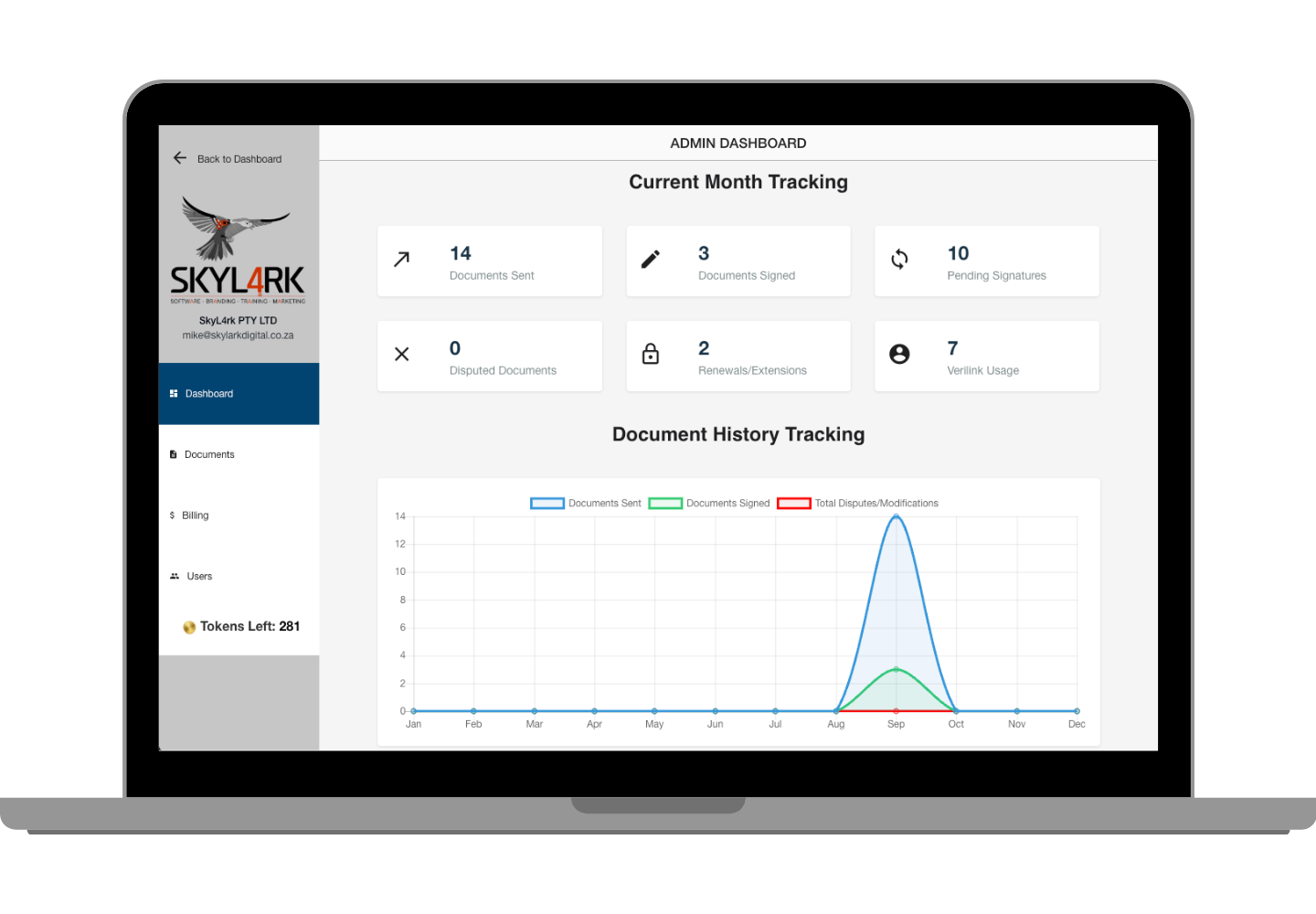
Document Analytics

Agreement Analytics

Live tracking of sent, signed, pending, and expired documents — plus dispute resolution metrics, renewal patterns, and Verilink authentication activity all in one view.
Client Management

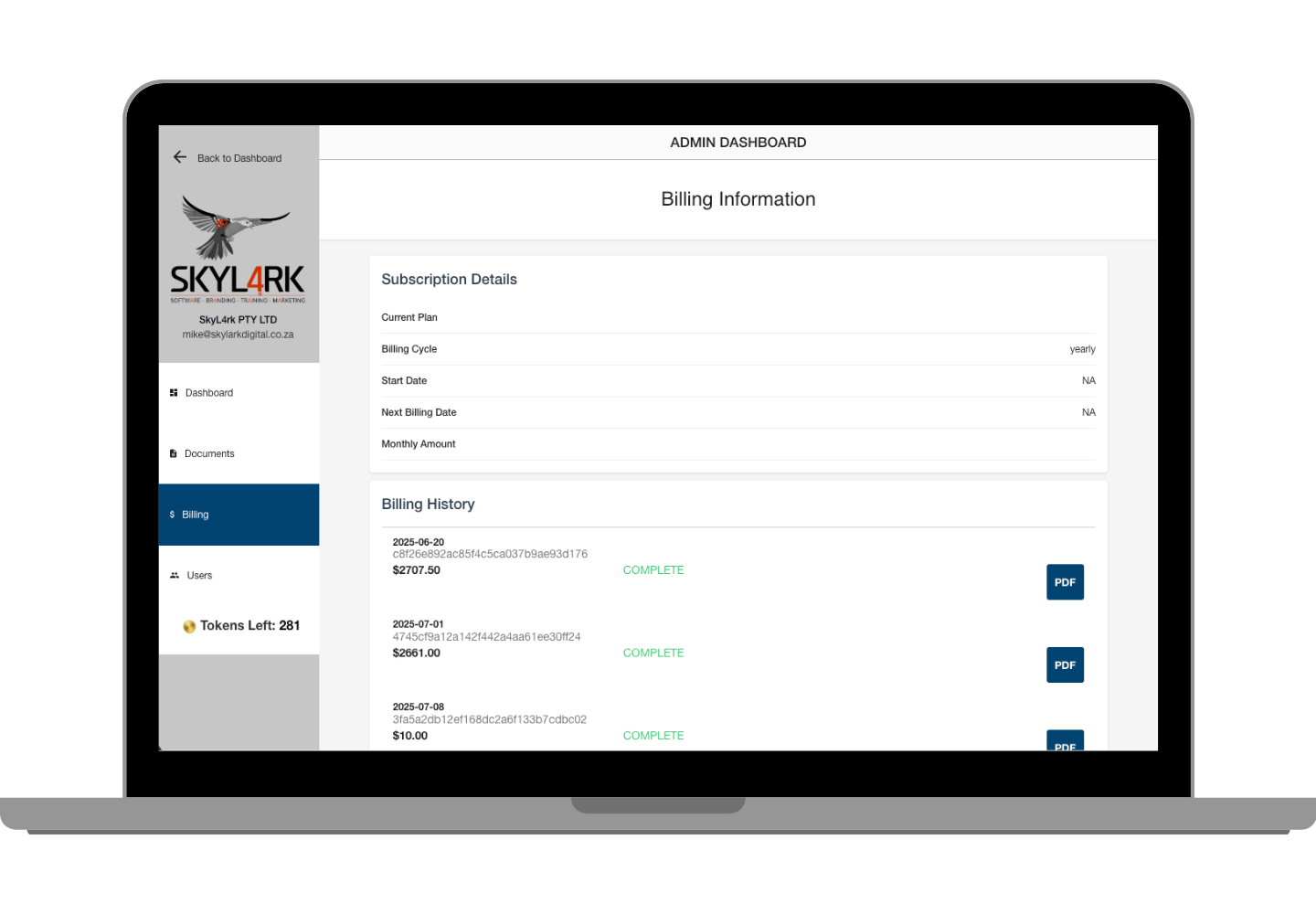
Billing Overview

Complete visibility into your token consumption with detailed usage breakdowns — so you always know where your spend is going and can optimise accordingly.

Token Billing

Token Management

Monthly subscription tracking, token purchase history, and billing cycle management — all in one place. No surprises at month-end.

Multi-Tenant. Multi-Party. One Agreement.

TermsCon now supports full multi-tenant multi-party signing — different organisations, different roles, one legally binding document that everyone signs independently and verifiably.

Built for Mutual Agreements at Any Scale

This is more than adding a second signer. Multi-tenant multi-party signing means different organisations or teams can each participate in the same agreement from their own account context — with their own access permissions, their own signing step, and their own verified record. It's how TermsCon handles real-world complexity: joint ventures, mutual NDAs, supplier agreements, multi-party transactions, and any situation where "both sides need to sign" doesn't cover it.
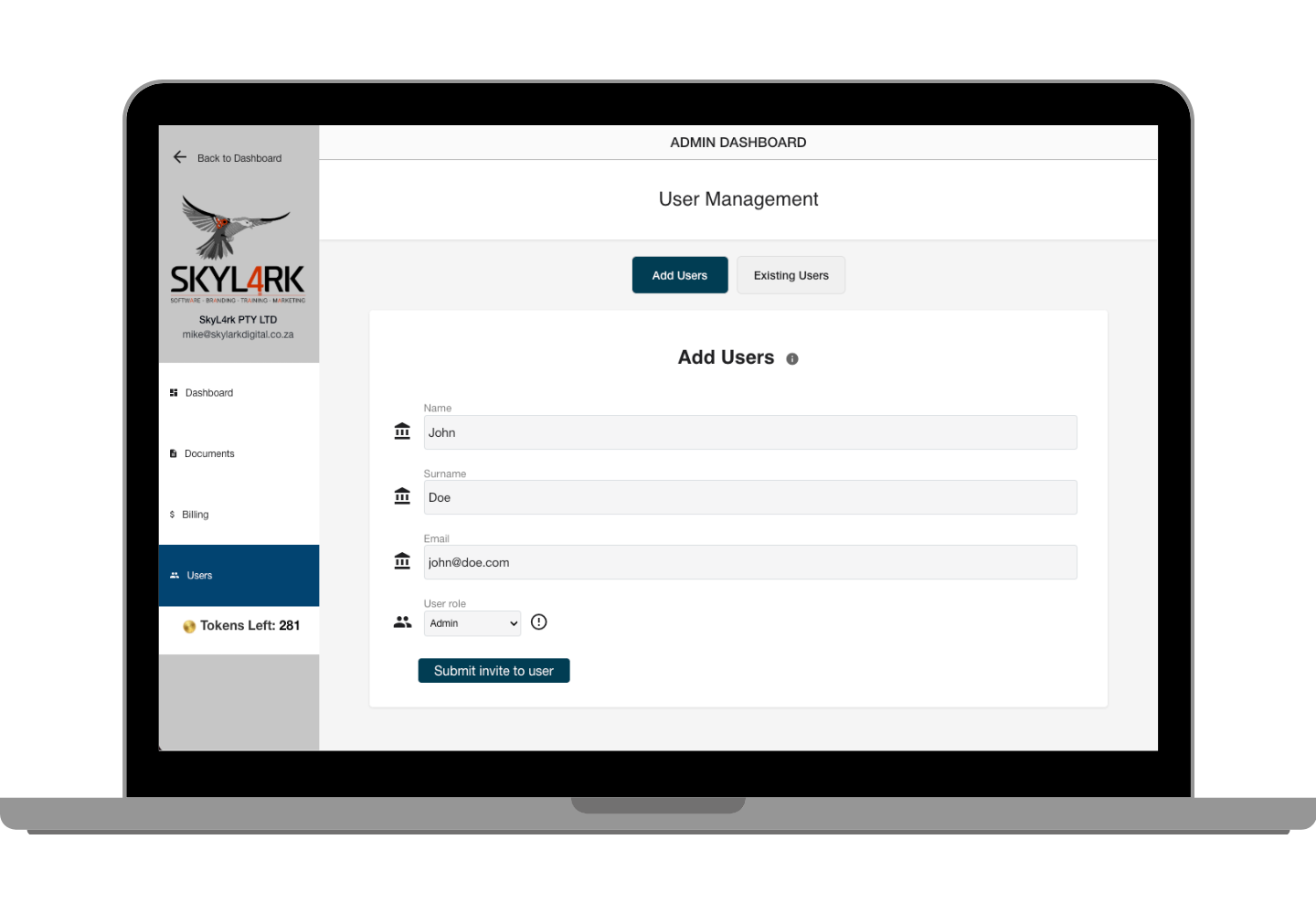
  • Multi-Tenant Architecture: Separate organisations each interact with the agreement from within their own account — no shared credentials, no access bleed.
  • Role-Based Permissions: Define exactly what each party can see, edit, or sign at each stage of the agreement.
  • Sequential or Parallel Signing: Configure whether parties sign in order or simultaneously — depending on your workflow.
  • Audit Trail per Party: Every action by every signatory is logged independently — a complete, tamper-evident record for all parties and any future dispute.
Get Started
Multi-Party Signing Interface

Ready to protect your next agreement?

Join the businesses across South Africa using TermsCon to send, sign, and safeguard their deals. Your first document is on us — no card required.